Tractogram manipulations: logical operations, resampling, filtering
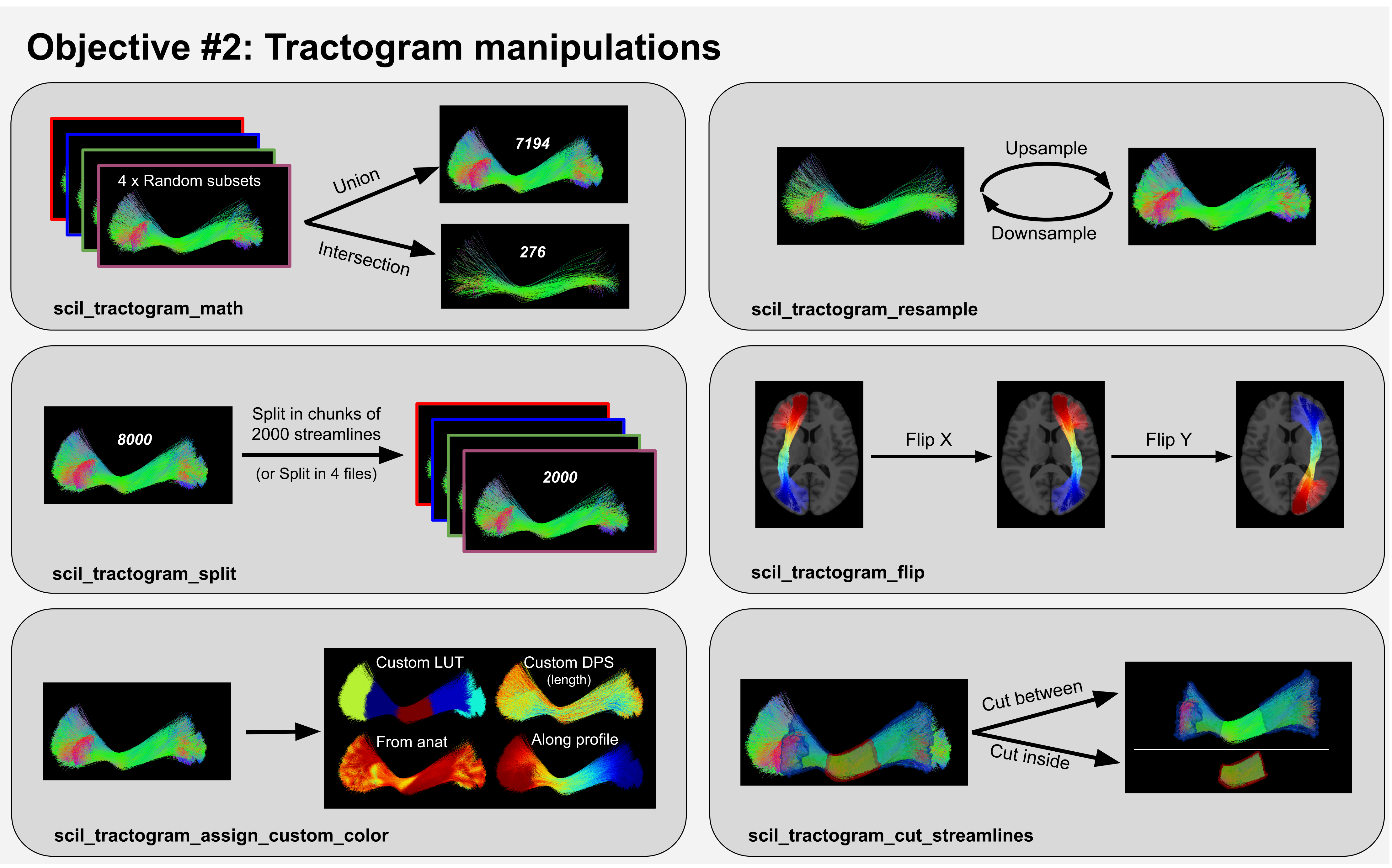
Scilpy scripts allow users to modify tractograms in various ways based on their needs, such as shown on Figure 2 in our upcoming paper:
The range of possibilities is wide!
Mathematical operations on two tractograms
Union, intersection and difference can be performed through the scil_tractogram_math script.
Some scripts allow operations on a single tractogram as a whole object in the brain
We can flip it on a chosen axis with scil_tractogram_flip
We can create a map of all voxels touched by a streamline with scil_tractogram_compute_density_map.
Other scripts allow operations on a single tractogram as set of streamlines
We can resample the number of streamlines (scil_tractogram_resample, scil_tractogram_split)
We can filter out streamlines based on various criteria (scil_tractogram_filter_by_roi, scil_tractogram_filter_by_anatomy, scil_tractogram_filter_by_length, scil_tractogram_filter_by_orientation)
We can segment a tractogram into bundles (see Tractogram Segmentation into bundles).
Finally, other scripts allow modifying the streamlines themselves. See page Streamlines manipulation for more information.
We can resample the number of points on each streamline (scil_tractogram_resample_nb_points, scil_tractogram_compress)
We can smooth the streamlines’ trajectories (scil_tractogram_smooth).
Overall, figure 2 in our upcoming paper represents well the range of possibilities.
Preparing data for this tutorial
Examples of data for this tutorial can be downloaded using instructions here: Getting ready for tutorials. Let’s use two tractograms available in the tutorial data:
tractogram1=$in_folder/sub-01/sub-01__cst_L_part1.trk
tractogram2=$in_folder/sub-01/sub-01__cst_L_part2.trk
To look at your data in a viewer, you may use the subject’s T1 volume:
t1=$in_folder/sub-01/sub-01__t1.nii.gz
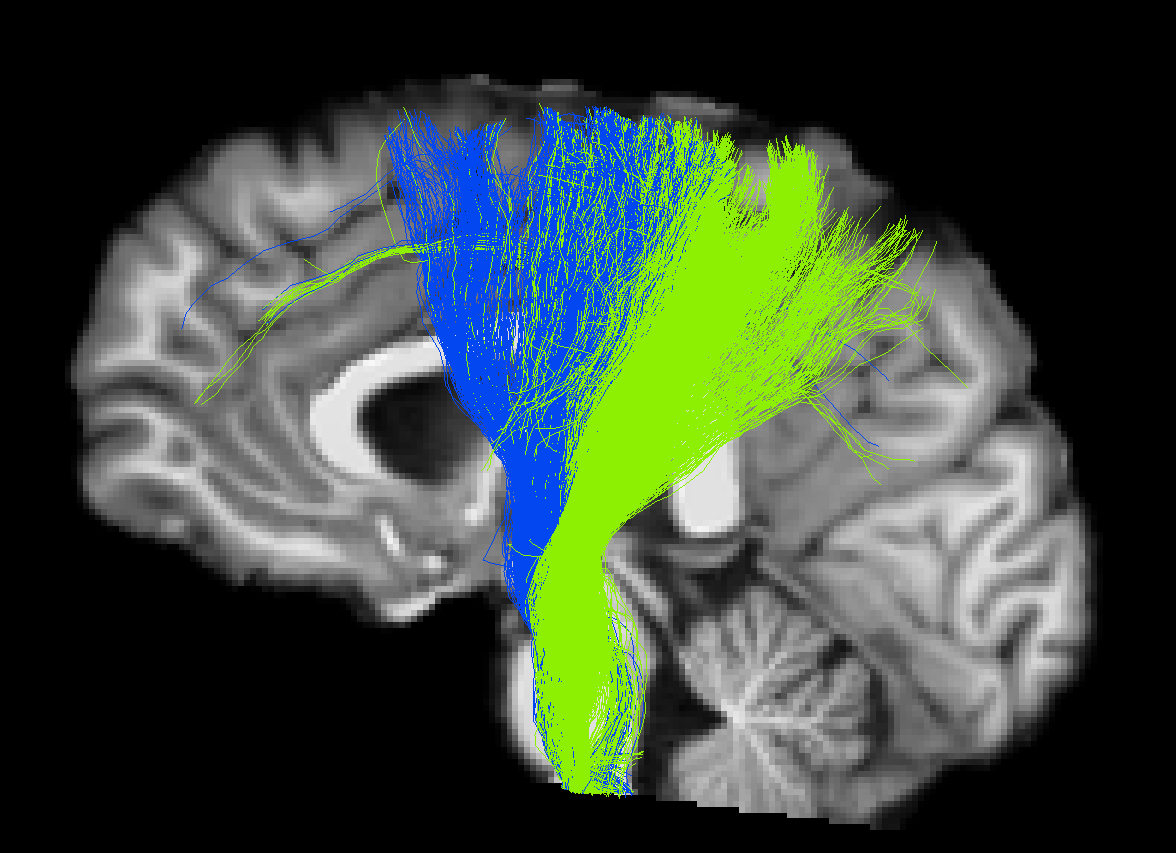
We used MI-Brain to visualize both tractograms, which each contain one part of the CST:
Tip
You may download the complete bash script to run the whole tutorial in one step ⭳ here.
A. Logical operations
1. Merging two tractograms (using all streamlines from both).
If a streamline is exactly the same in both tractograms, it will be kept once.
scil_tractogram_count_streamlines $tractogram1
scil_tractogram_count_streamlines $tractogram2
scil_tractogram_math union $tractogram1 $tractogram2 union.trk
scil_tractogram_count_streamlines union.trk
2. Finding streamlines belonging in two tractograms (intersection)
scil_tractogram_math intersection $tractogram1 $tractogram2 intersection.trk
3. Finding streamlines that are in $tractogram1 but not in $tractogram2
scil_tractogram_math difference $tractogram1 $tractogram2 difference1-2.trk
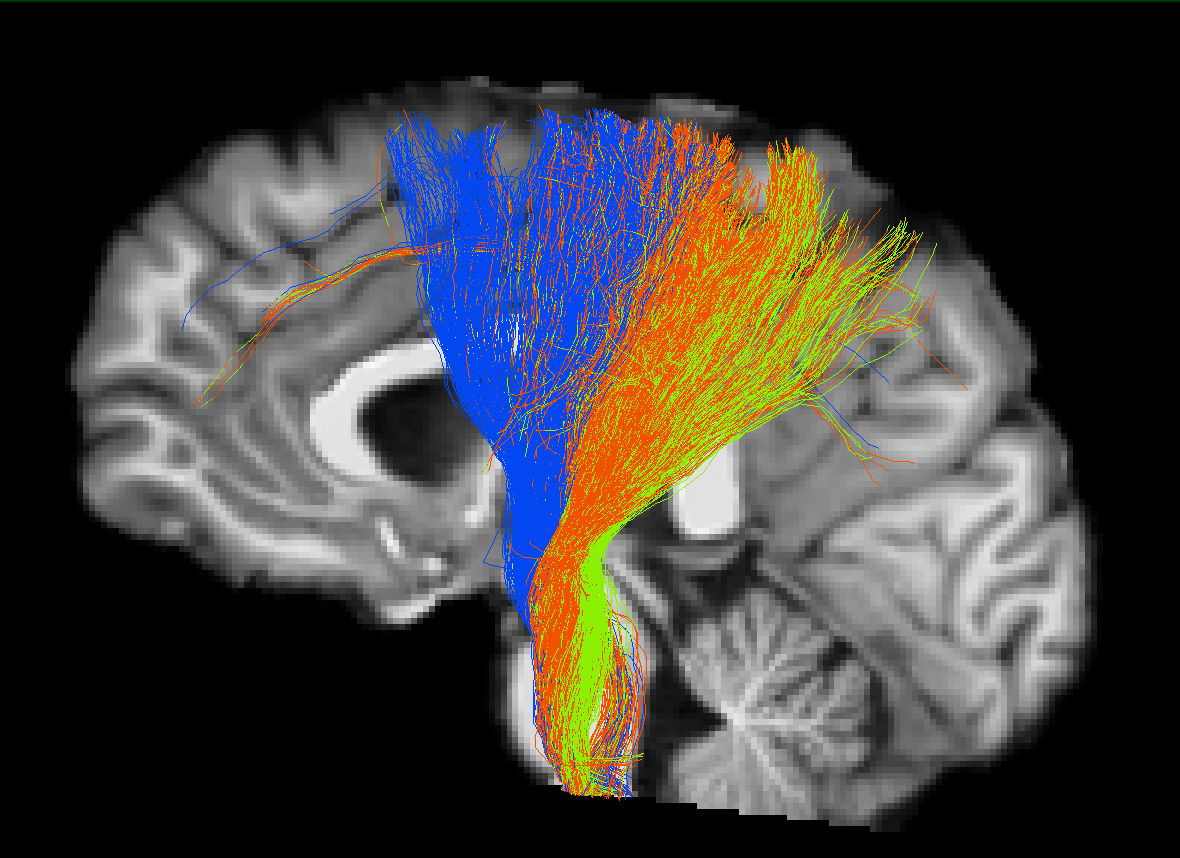
Result of the intersection operation. The streamlines in orange belonged to both tractograms and form the new file intersection.trk.
B. Tractogram resampling
Resampling means changing the number of streamlines in your tractogram.
1. Downsampling: keeping only 20 streamlines: the most basic option for downsampling is to pick a given number of streamlines randomly. Our initial tractogram1 contains 2598 streamlines. Let’s pick 200 of them.
scil_tractogram_resample $tractogram1 200 tractogram_downsampled.trk
It is also possible to downsample per Quickbundles cluster. To understand Quickbundles, refer to page Tractogram Segmentation into bundles. Here, the script will divide your tractogram into sub-sections and will pick the appropriate number in each. This will ensure that the selected streamlines are not too random and cover more or less the whole tractogram range. (With this option, the final number of streamlines may not be exactly what you asked for, but will be close).
Most of the time, you can use the default value for –qbx_thresholds, particularly if you are working on whole-brain tractograms. Here, our tutorial data tractogram1 is already a small bundle, so we will be more severe and use 3.
scil_tractogram_resample $tractogram1 200 tractogram_downsampled2.trk \
    --downsample_per_cluster -v --qbx_thresholds 3
You may open and compare tractogram_downsampled.trk and tractogram_downsampled2.trk. Here, data is small and in both cases, the downsampling should cover a good portion of the spatial extend of the bundle, even though the first call is random. On whole-brain data, the difference can be more impressive.
2. Upsampling:
To add more streamlines to our tractogram, the script uses randomly picked streamlines to create new similar ones by moving a little bit each point. We will also give a –tube_radius option to make sure final streamlines do not deviate too much from original trajectory.
scil_tractogram_resample $tractogram1 4000 tractogram_upsampled.trk \
    --point_wise_std 5 -v --tube_radius 4
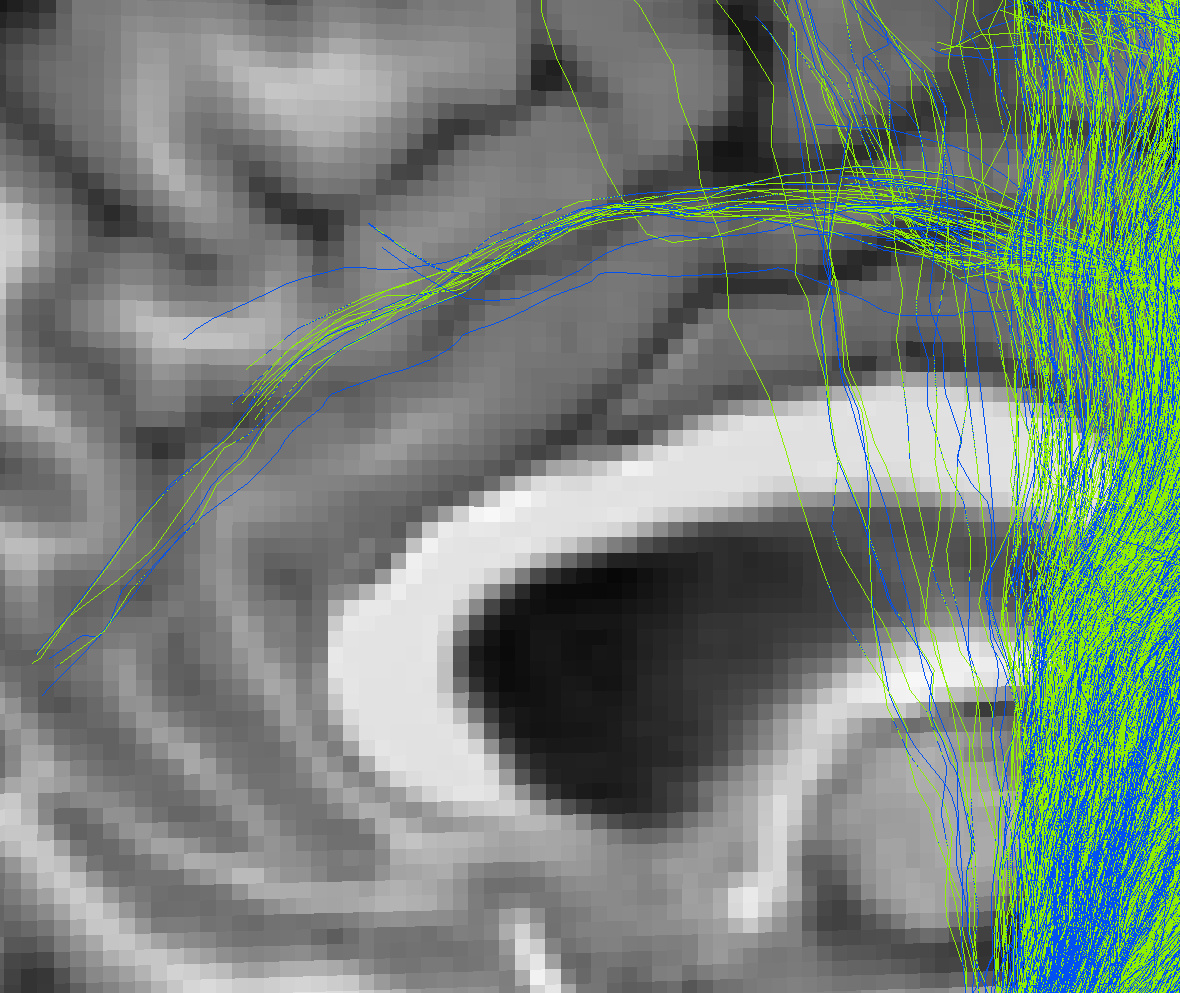
Zoomed view on the results. In green: the original bundle. In blue: the new streamlines.
3. Splitting a tractogram
We will split our tractogram into subsections. This line of code below will create 3 files: out_split_part_0.trk, out_split_part_1.trk, out_split_part_2.trk.
scil_tractogram_split --nb_chunks 3 $tractogram1 out_split_3_part
It is also possible, instead, to split into files of a given number of streamlines. For instance, this will create N files of 100 streamlines:
scil_tractogram_split --chunk_size 100 $tractogram1 out_split_100_part -v
Finally, it is again possible to split per Quickbundles cluster.
scil_tractogram_split --nb_chunk 3 --split_per_cluster \
      $tractogram1 out_split_3QB_part -v --qbx_thresholds 6
C. Tractogram flipping
To flip a tractogram on an axis (x, y, z; here we chose the x-axis), you can use:
scil_tractogram_flip $tractogram1 flipped_x.trk x -v